Beat maker, recording studio & music maker for Android
Make the beat. Sing the hook. Finish the song.
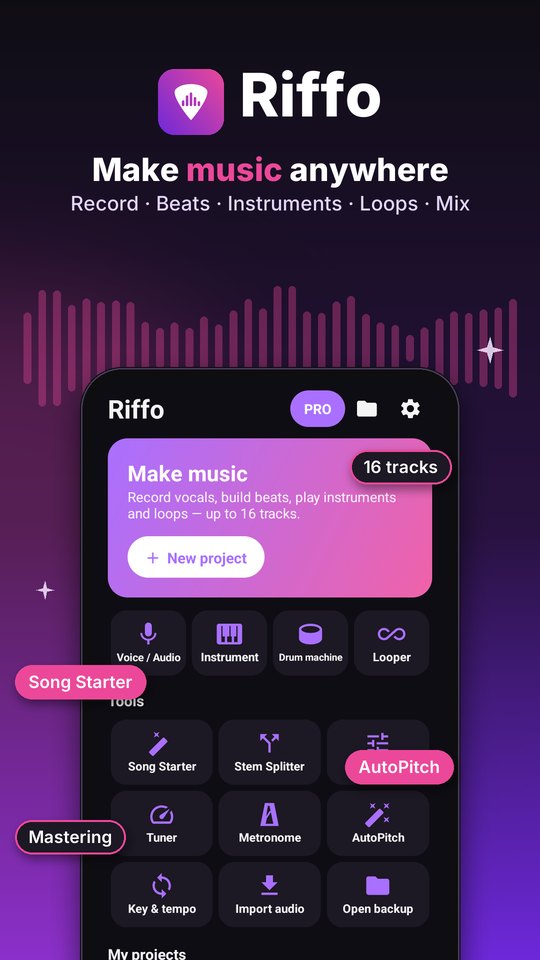
Riffo is a 16-track music studio in your pocket. Program drums, play pads and loops, add synths, keys and bass, record your vocals with AutoPitch, then mix, master and export — all on your phone. No account, no cloud.
Android 8.0+ · Windows 10/11 (Riffo Studio) · free, optional Premium · no sign-up, no upload
Screenshots
A look inside.
How it works
Start an idea, build it up, export it.
Start a song
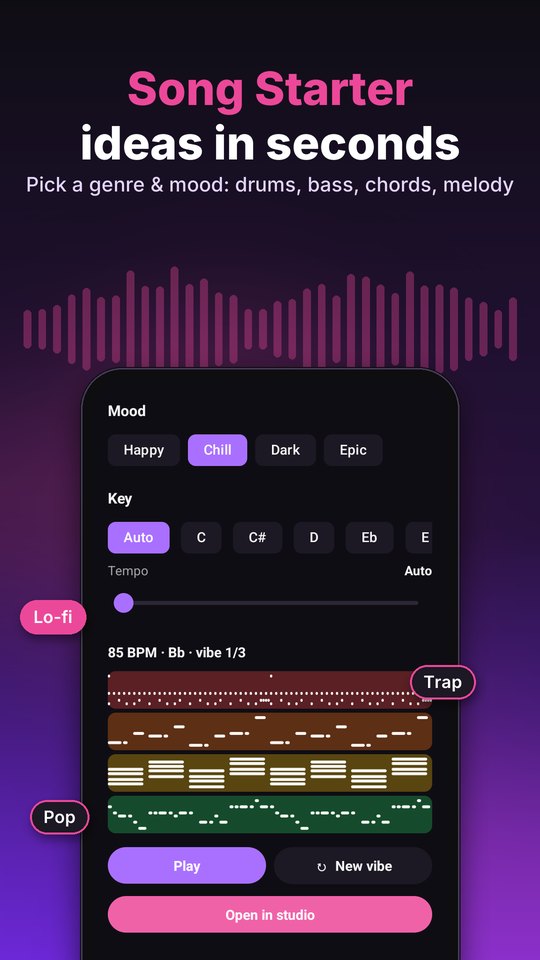
Open an empty project, tap a quick start (voice, instrument, drums or looper), or let Song Starter build drums, bass, chords and a melody in the genre and mood you pick.
Record, play and arrange
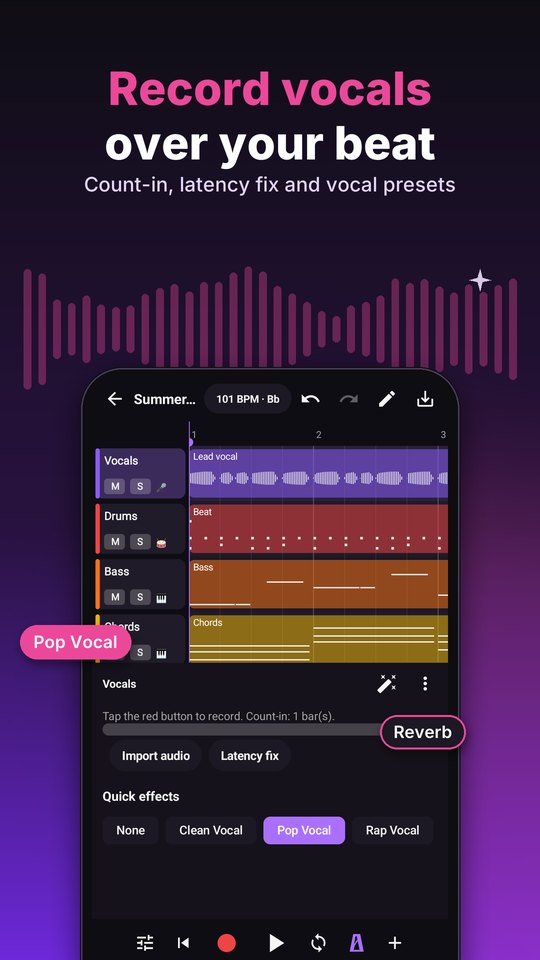
Record vocals with a count-in, program beats, play instruments, jam with loops, and edit notes in the piano roll. Split, loop and fade regions, with undo for every step.
Mix, master and export
Balance tracks in the mixer, add effects and AutoPitch, pick a mastering preset, then export MP3, WAV or M4A to Music/Riffo, stems as WAV, or the notes as MIDI.
Features
Beats, instruments, vocals and mixing. One studio.
16-track studio
Up to 16 tracks of voice and audio, instruments, drums, sampler and looper. Record with a count-in and latency fix, import audio or the sound of a video. Split, duplicate, loop, fade, gain, normalize, reverse and nudge regions, with undo and redo, a loop region, metronome, tap tempo, key and scale, and a lyrics notepad.
Drum machine, pads & looper
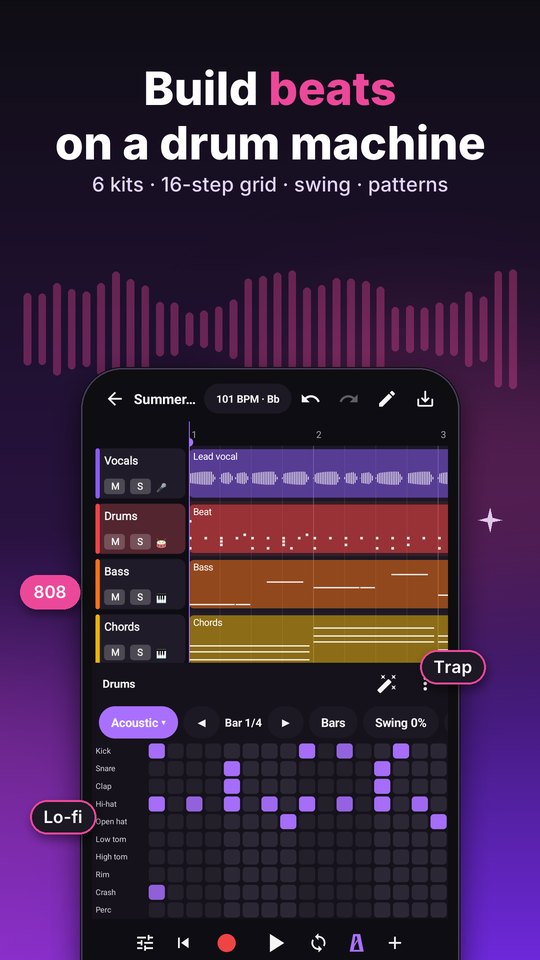
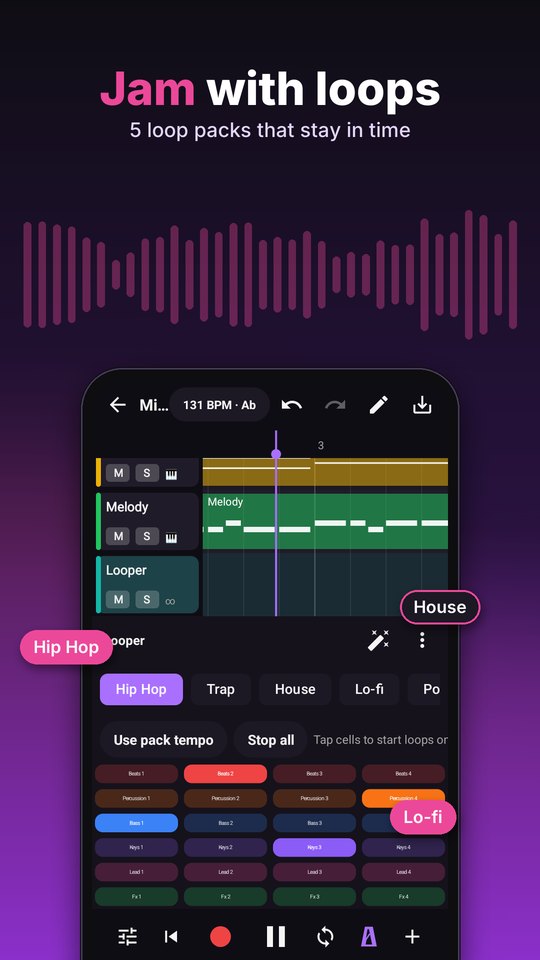
6 drum kits on a 16-step grid with patterns and swing. A sampler with 16 pads and 3 sound packs — record or import your own sounds. A looper with Hip Hop, Trap, House, Lo-fi and Pop packs on a 6x4 grid, quantized to the bar, and you can record the jam.
Virtual instruments & piano roll
21 synthesized instruments: keys, synths, bass, strings, guitar, mallets and brass. Write and fix notes in the piano roll, quantize them to the grid and transpose a whole part.
Vocals, effects & AutoPitch
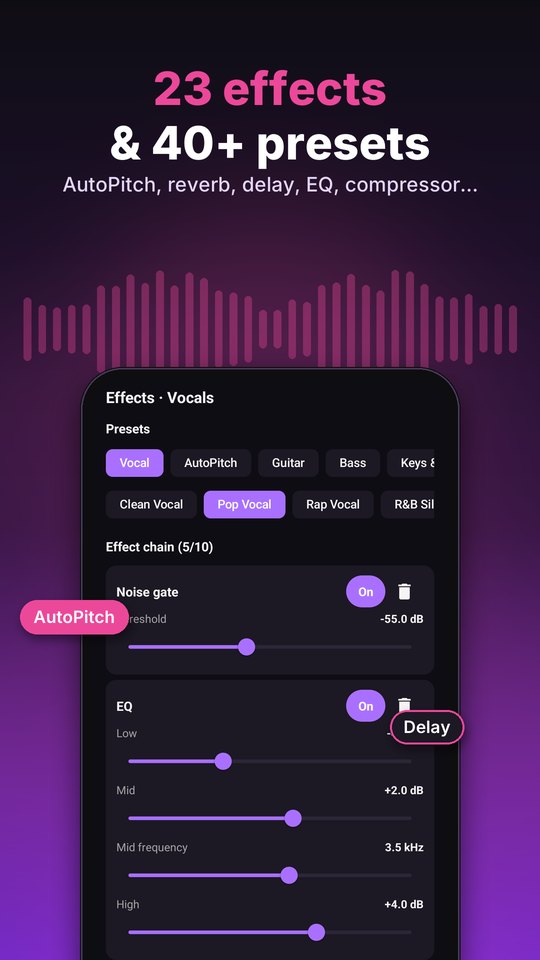
23 effects on every track — EQ, compressor, reverb, delay, chorus, flanger, phaser, tremolo, vibrato, drive, bitcrush, lo-fi, telephone, radio, megaphone, robot, noise gate, de-esser, filter, stereo widen, limiter, noise reduction and AutoPitch pitch correction — with about 42 presets for vocals, guitar, bass, keys, drums and creative sounds.
Mixer, mastering & Song Starter
Volume, pan, mute and solo on every track. A master bus with 8 mastering presets — Universal, Punch, Clarity, Tape, Natural, Spatial, Fire and Cinematic — and an intensity slider. AutoMix measures your tracks and balances level and pan. Song Starter builds drums, bass, chords and a melody in key for Pop, Hip Hop, Trap, Lo-fi, R&B, House, Rock, EDM, Afrobeats or Ballad.
Music tools
Stem splitter: vocals, drums, bass and other, or vocals and music, computed on your phone. Mastering for any song file, a tuner, a metronome, AutoPitch for a vocal file, and a key and tempo changer.
Private by design
Your songs stay on your phone.
Riffo has no account and no cloud. Projects, recordings and exports are stored on your device, and the microphone is used only while you record or use the tuner. The app uses the internet for ads, analytics, crash reports and Google Play purchases — never to upload your music.
Export
6 ways to take your song out.
Share a finished mix, keep every track for later, or move your notes to another music app.
The full mix in a file that plays everywhere.
The full mix uncompressed, for further editing.
Good sound at a small size, supported by modern phones and apps.
Each track as its own WAV file, ready to mix elsewhere.
The notes of your instrument and drum tracks, for other music apps.
The whole project in one file. Reopen it in Riffo later.
Import: audio and the sound of a video
- MP3
- M4A
- AAC
- OGG
- WAV
- FLAC
- MP4
- + other formats your phone can decode
FAQ
Fair questions.
Does Riffo upload my songs?
No. There is no account and no cloud. Projects, recordings and exports stay on your device. The app uses the internet for ads, analytics, crash reports and Google Play purchases.
Can I record vocals over a beat?
Yes. Add a voice track, put on headphones and record with a count-in. The latency fix lines your take up with the beat, and AutoPitch and the vocal presets polish it.
Is Song Starter or the stem splitter AI?
No. Song Starter follows chord and rhythm rules for each genre and mood, the stem splitter uses signal processing, and AutoMix measures your tracks. Everything runs on your phone.
Where are my songs saved?
Exports are saved to the Music/Riffo folder, where music players and file managers can see them. Projects live inside the app; back one up as a .riffo file to keep or move it.
Can I use my songs in other music apps?
Yes. Export each track as a WAV stem, or the notes of your instrument and drum tracks as a MIDI file, and open them in another music app.
What does Premium add?
Riffo Premium (monthly, yearly or lifetime) removes ads. You can restore it on other devices signed in to the same Google account.
Which Android versions and permissions?
Riffo works on Android 8.0 and newer. The microphone is asked for only when you record or open the tuner. Files you import are opened through Android's own file picker.